Introduction
Introduction
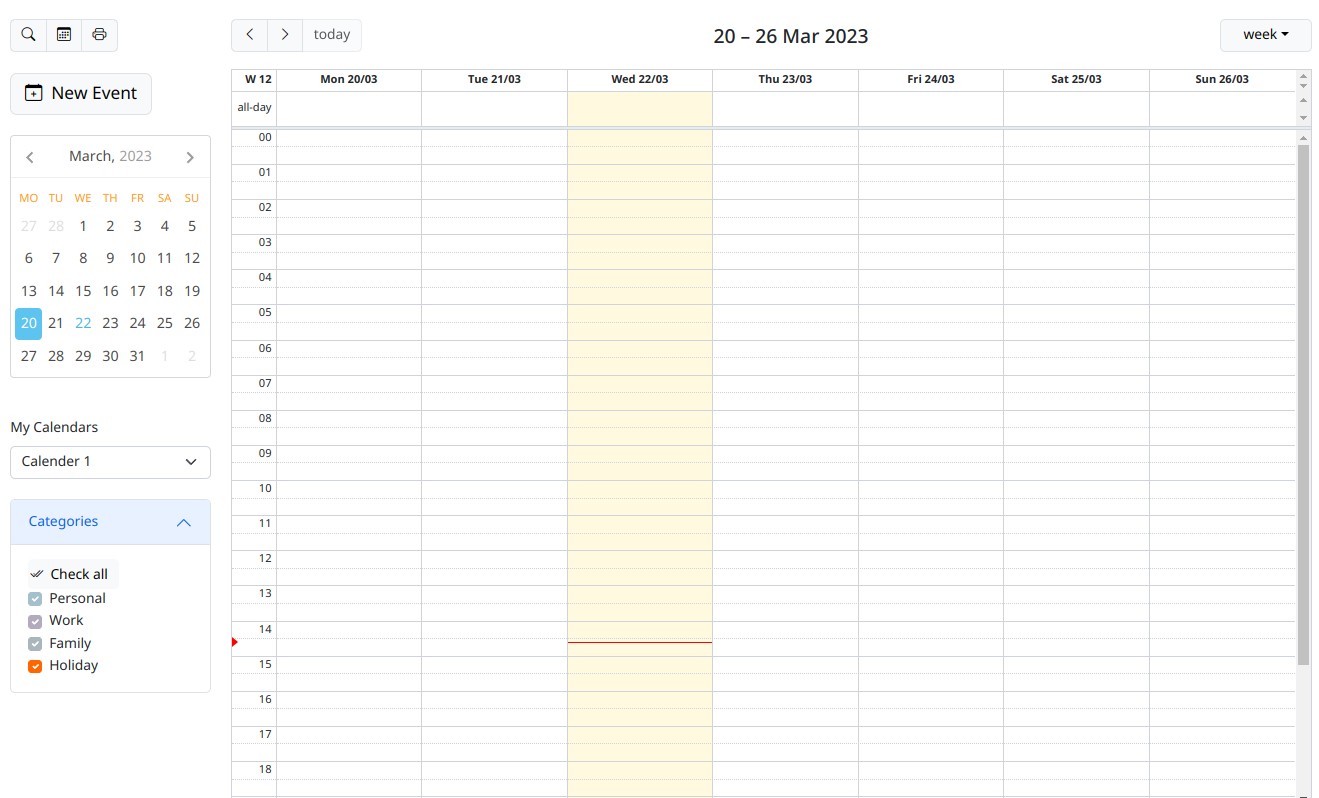
Guriddo Scheduler for PHP is a event calendar component built on top of open and widely used standards.
Some of the major features include:
Features
- Multiple Resources View to display several calendars for different resources
- Blazing speed - only the minimal data required is sent from server to client
- Template View for simple and effective visualization of events assigned to different resources
- Data export to iCal format
- Printing to PDF format.
- Drag and drop events
- JavaScript based client-side - familiar and powerful client-side API based on jQuery.
- Easy search interface in order to find the needed information immediately
- Bootstrap 5 and ThemeRoller support
- many more.
Requirements and class installation
For installing the package please refer to this link
Installation
Seting table
Scheduler is configured to work only with Bootstrap. The jQuery UI theming is no more supported.
Before to continue with the php files setup it is needed to know the database used and if the scheduler table is a part of existing project or the distributed table will be used.
In case when the provided table will be used it is needed to create it in your existing database using the sql script provided in the distribution. There are two scripts one for MySql and another for Microsoft SQL server. If you use other database server, use the definition from one of the two files . If the table can not be named events (or you have already such one) rename it in you way and then look at the next steps.
If a existing table will be used look below how to map the table field names.
If you have already existing connection to the scheduler skip next step.
Open the file jq-config.php and enter the appropriate information for the database user and password.
Creating index and eventcal files
After installing the Guriddo package in your project create a index.php file or any other php name which meet your requirements. In this document we will use index.php.
In index.php is needed to setup JavaScript and CSS files and include php script with scheduler commands. We will name this file eventcal.php.
The index.php file should contain the following javascript files - jQuery, Bootstrap 5, air datepicker, fullcalender and scheduler JavaScript files. The installing of Bootstrap 5 icons and CSS file is required too. All these packages are avialble in the distributin dist and css directories. In case of Internet connection is possible to load the latest version of these files fron cdnjs site.
Below the index.php file can look like this:
<?php
session_start();
ini_set("display_errors",1);
?>
<!DOCTYPE html>
<html>
  <head>
<meta http-equiv="Content-Type" content="text/html; charset=utf-8" />

    <style type="text">
        html, body {
            margin: 0;          /* Remove body margin/padding */
            padding: 0;
            overflow: hidden;   /* Remove scroll bars on browser window */
            font-size: 62.5%;
        }
        body {
            font-family: "Trebuchet MS", "Helvetica", "Arial",  "Verdana", "sans-serif";
        }
    </style>
    <title>Guriddo Scheduler PHP</title>
    <!--
    <link rel="stylesheet" type="text/css" media="screen" href="../css/jquery.ui.tooltip.css" />
-->
<!--
    <link rel="stylesheet" type="text/css" media="screen" href="../css/ui.jqscheduler.css" />
-->
    <style type="text/css">
    html, body {
      padding: 5px;
      overflow-y: auto;
      font-size: 0.85rem;
    }

    </style>
    <!-- jquery -->
    <script src="../js/ext/jquery.min.js" type="text/javascript"></script>
    <!-- bootstrap -->
    <link href='https://cdn.jsdelivr.net/npm/bootstrap@5.2.3/dist/css/bootstrap.min.css' rel='stylesheet'>
    <link href='https://cdn.jsdelivr.net/npm/bootstrap-icons@1.8.1/font/bootstrap-icons.css' rel='stylesheet'>
    <script src="https://cdnjs.cloudflare.com/ajax/libs/bootstrap/5.2.3/js/bootstrap.bundle.min.js" integrity="sha512-i9cEfJwUwViEPFKdC1enz4ZRGBj8YQo6QByFTF92YXHi7waCqyexvRD75S5NVTsSiTv7rKWqG9Y5eFxmRsOn0A==" crossorigin="anonymous" referrerpolicy="no-referrer"></script>
    <!-- air date picker -->
    <script src="https://cdn.jsdelivr.net/npm/air-datepicker@3.3.5/air-datepicker.min.js"></script>
    <link rel="stylesheet" href="https://cdn.jsdelivr.net/npm/air-datepicker@3.3.5/air-datepicker.min.css">
    <!-- full calendar -->
    <script src="../js/ext/fullcalendar/dist/index.global.js" type="text/javascript"></script>
    <script src="../js/ext/fullcalendar/packages/bootstrap5/index.global.js"></script>
    <script src="../js/ext/fullcalendar/packages/core/locales-all.global.js"></script>
    <script src="../js/jqscheduler.js" type="text/javascript"></script>

  </head>
  <body>

    <?php require_once("eventcal.php");?>
   </body>
</html>
Save the index.php file and create the file eventcal.php with the following content:
<?php
require_once '../../../vendor/autoload.php';
require_once "jq-config.php";

ini_set("display_errors",1);
date_default_timezone_set('Europe/Sofia');
try {
$conn = new PDO(DB_DSN,DB_USER,DB_PASSWORD);
    //$conn = sqlsrv_connect( $serverName, $connectionInfo);
} catch( Exception $e ) {
    die( "Error connecting to  Server" );
}
// Tell the db that we use utf-8
$conn->query("SET NAMES utf8");

// instantinate the scheduler
$eventcal = new Guriddo\Scheduler\Scheduler($conn, 'pdo');
// set the locale
$eventcal->setLocale('en_GB');
// se the time zone
$eventcal->setOption(array("timeZone"=>"Europe/Sofia" ));
// point to the file for database operations
$eventcal->setUrl('eventcal.php');
// configure the calendars
$eventcal->setUserNames(array('1'=>"Calender 1",'2'=>"Calendar 2") );
// se the initial calendar to be used
$eventcal->setUser( 1 );
//$eventcal->useMenuButtons = false;
// render the calendar
$eventcal->render();
Save the file and go to the next step.
The first that is needed to be setup is to include the vendor autoload.php, which will load all the needed php classes and files. Configure the path depending on your setup.
In case that there is a existing connection make so to include it in the file and comment jq-config.php file. If this is not the case include the jq-config.php files create the connection as requiered from the database server. In this case we use PDO MySql driver.
The next important step to work properly is to configure the time zone. This is done with the php function : date_default_timezone_set( zone );
Read the comments in eventcal.php to see how to configure.
Using/creating localization
Currently the Scheduler is distributed with support of two Languages - English and Bulgarian.
The English localization is setup with
...
// set the locale
$eventcal->setLocale('en_GB');
...
while Bulgarian is setup with
...
// set the locale
$eventcal->setLocale('bg_BG');
...
Locale name shows the valid combinations of ISO language code and ISO country code (language_COUNTRY) that are supported.
If there is a need to use other not supported language it can be created following the steps described here
Configure table
As described above if the table name is already in use or already existing table will be used for storing the data it is need to tell the script to use that table. This is done with the variable table. Suppose the name myeventcal will be used then is needed to do
...
// instantinate the scheduler
$eventcal = new Guriddo\Scheduler\Scheduler($conn, 'pdo');
// setup your table
$eventcal->table ="myeventcal";
// set the locale
$eventcal->setLocale('en_GB');
...
In case that existing table will be used its field should be mapped so that it can be used in the scheduler.
The MySql table provided with Scheduler has the following definition
--
-- Table structure for table `events`
--
CREATE TABLE IF NOT EXISTS `events` (
  `event_id` int(11) unsigned NOT NULL AUTO_INCREMENT,
  `user_id` int(10) unsigned NOT NULL DEFAULT '0',
  `start_event` int(10) unsigned NOT NULL DEFAULT '0',
  `end_event` int(10) unsigned NOT NULL DEFAULT '0',
  `title` varchar(255) NOT NULL,
  `description` text NOT NULL,
  `location` varchar(255) NOT NULL DEFAULT '',
  `categories` varchar(255) NOT NULL DEFAULT '',
  `access` varchar(255) NOT NULL DEFAULT '',
  `all_day` tinyint(1) NOT NULL DEFAULT '0',
  PRIMARY KEY (`event_id`)
) ENGINE=MyISAM  DEFAULT CHARSET=utf8;
and the default mapping is defined as follow:
$dbmap = array(
    "event_id"=>"id", // this is a id key
    "title"=>"title",
    "start_event"=>"start",
    "end_event"=>"end",
    "description"=>"description",
    "location"=>"location",
    "categories"=>"className",
    "access"=>"access",
    "all_day"=>"allDay",
    "user_id"=>"user_id"
);
By example if the title field is named mytitle and the location field is named mylocation then using the method setDBMap the mapping should be defined as
// instantinate the scheduler
$eventcal = new Guriddo\Scheduler\Scheduler($conn, 'pdo');
// setup your table
$eventcal->table ="myeventcal";

$mydbmap = array(
    "event_id"=>"id", // this is a id key
    "mytitle"=>"title",
    "start_event"=>"start",
    "end_event"=>"end",
    "description"=>"description",
    "mylocation"=>"location",
    "categories"=>"className",
    "access"=>"access",
    "all_day"=>"allDay",
    "user_id"=>"user_id"
);

$eventcal->setDBMap( $mydbmap );
...
As can be seen the array keys (left part) should be changed, while the array values should stay constant. They are used in JavaScript.
After configuring these options run the index.php in your browser.
Templates of all these files used to run scheduler are in dist/scheduler directory of the guriddo installation
Printing
In order to use event printing using pdf, the tcpdf lib should be installed. See Installing packages for export . If this is not possible use html printing setting - see printformat option